Red Asphalt
Work in progress
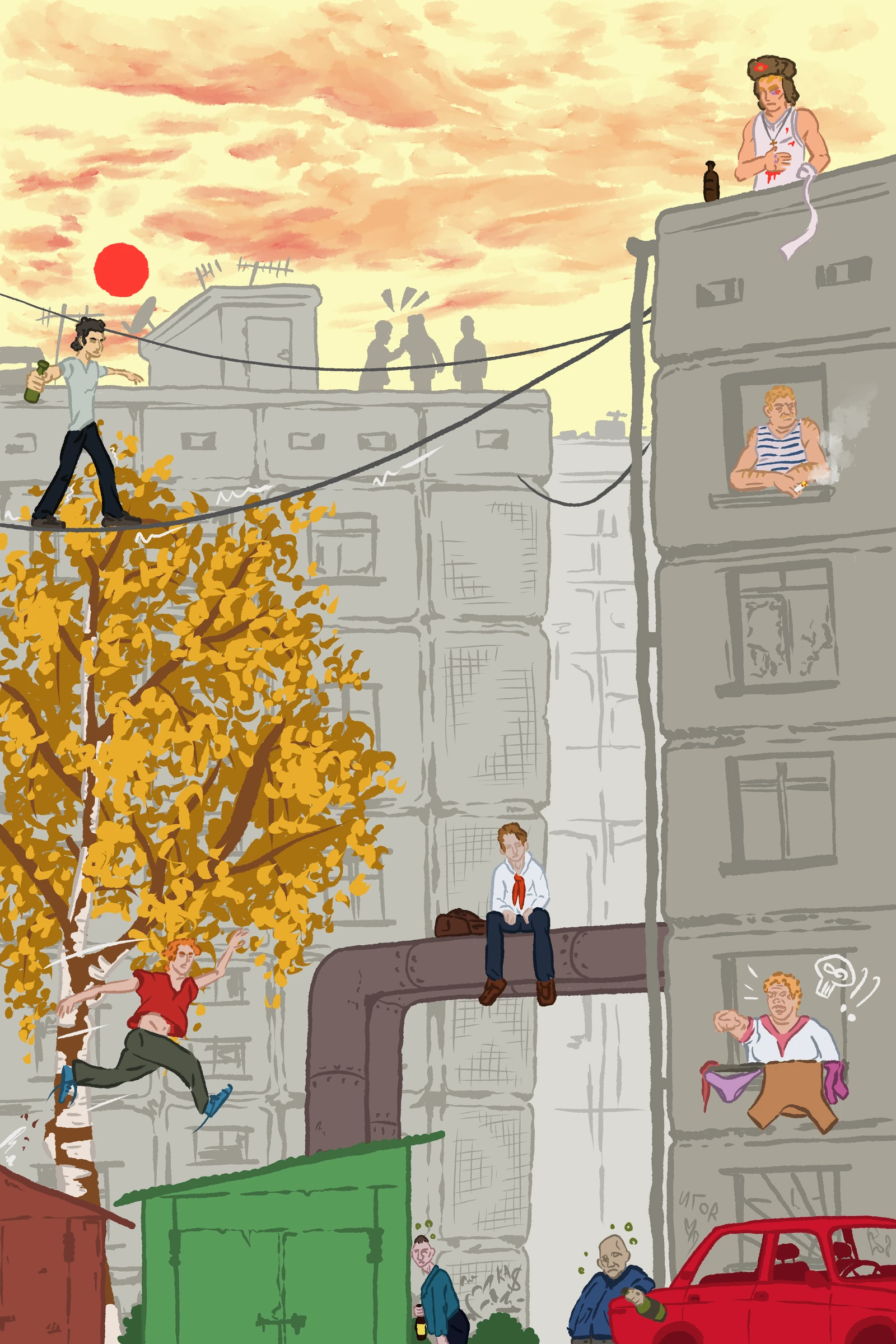
Red Asphalt is a game I’ve been working on with a friend since the start of summer. It is a game inspired by Bully from Rockstar but set in the 1970s cold Russia where crime, gulags and corruption run rampant.
The game follows Max, a mute teen. He lost his left hand to frostbite and gets implicated with various crime groups in order to uncover the reason behind his father’s death.
Parkour Sensor (Vault jump)
We want to make traversing the map smooth and interesting, that’s why we decided to add some parkour elements to the player movement.
The first of which was Vaulting over a fence/small wall as seen below:
To achieve this a ParkourSensor class that checks for obstacles at a given direction by utilizing sphere casts and ray casts was made.
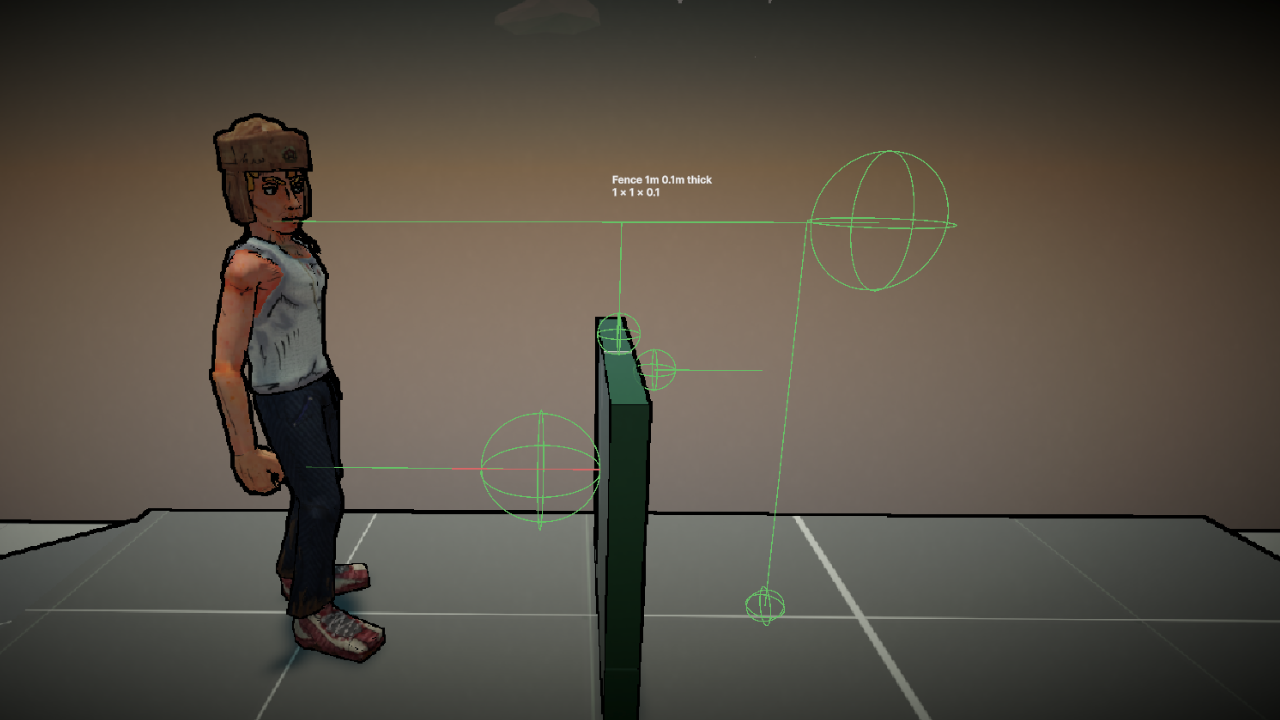
The first check is the LowProbe. It starts at the Transform position + a minimum vault height in the up direction and uses the passed direction to do a sphere cast for an obstacle. Below is the gizmos for the low probe:
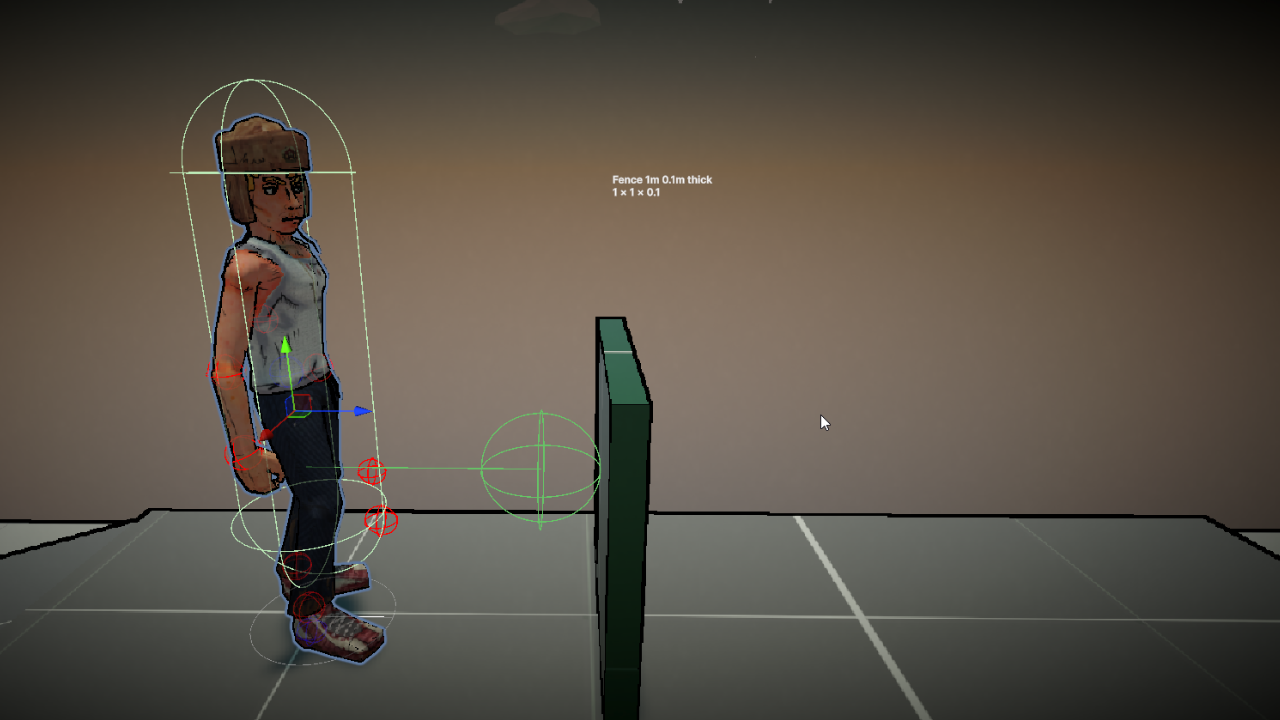
If the LowProbe hits something it performs an angle check so that the normal the sphere cast hits has no more than a 45 degrees difference. The angle is drawn using a red line in the gizmos.
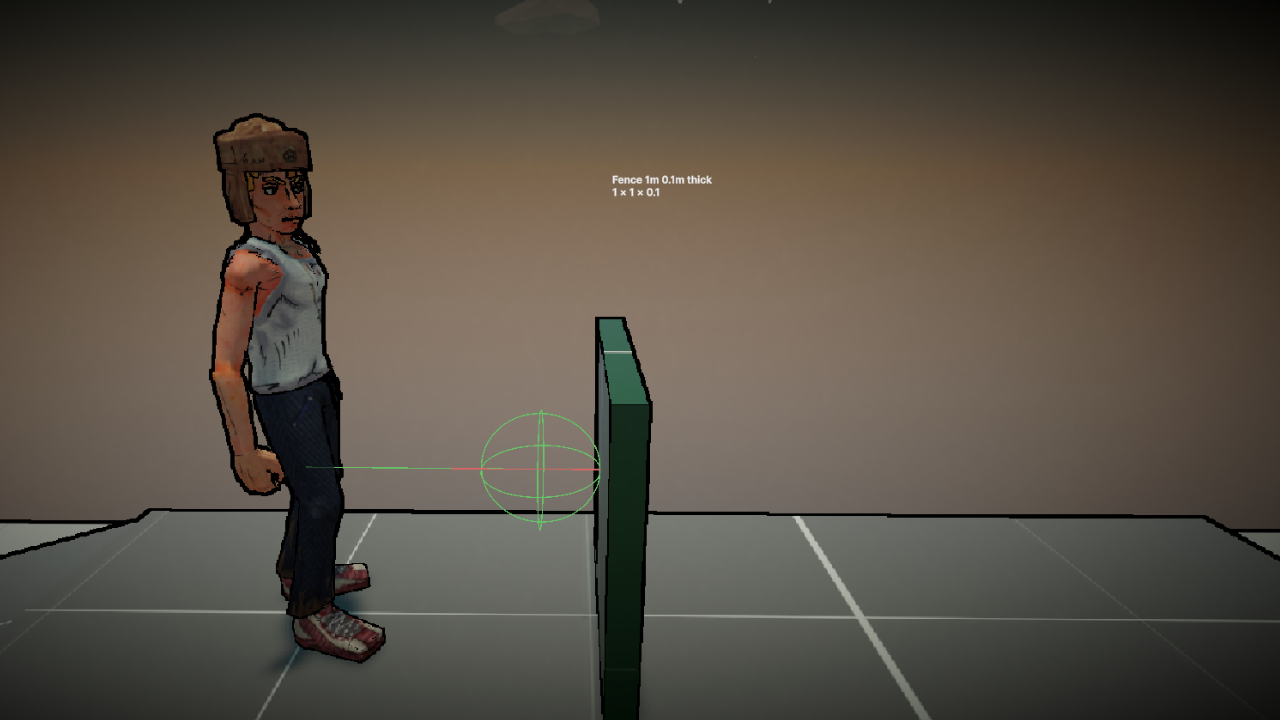
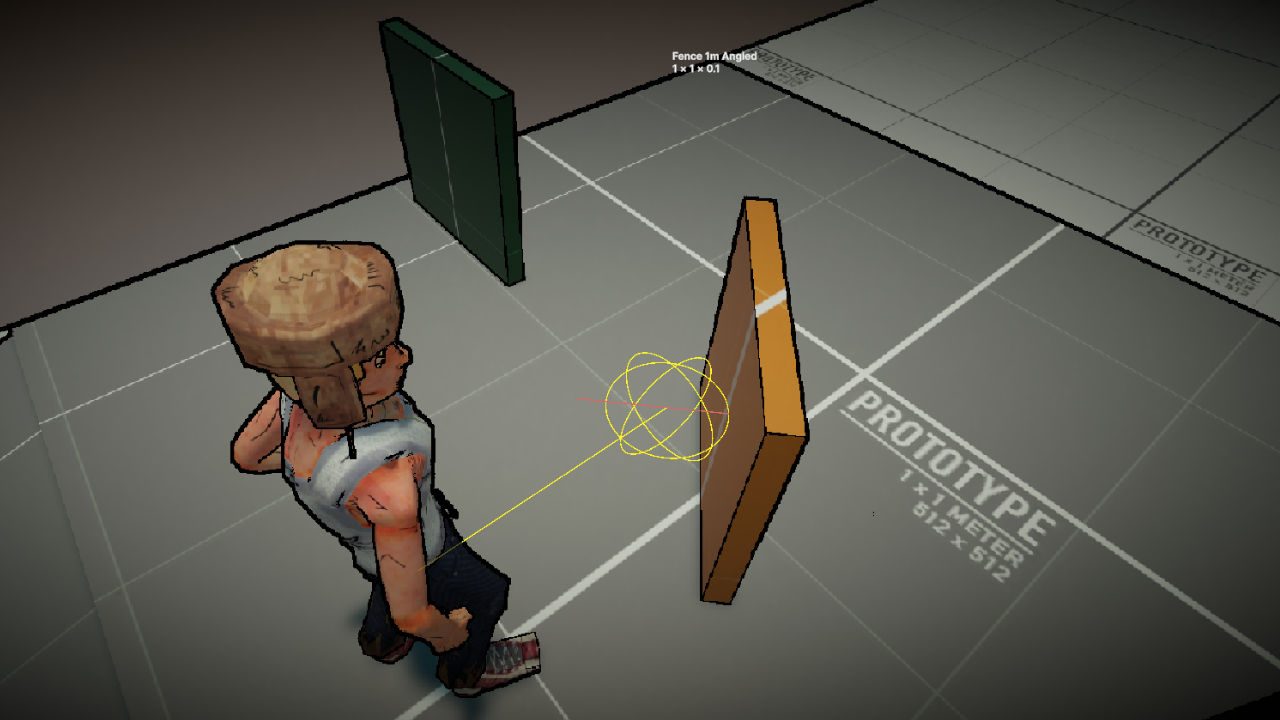
Here is the code snippet of the LowProbe function:
HandleLowProbe function
The _lowProbe is a ProbeData data type. ProbeData::SphereCast() does a Physics.SphereCast and saves all of RaycastHit info and returns whether it Hit an obstacle or not.
1
2
3
4
5
6
7
8
9
10
11
12
13
14
15
16
17
18
19
20
21
22
private bool HandleLowProbe()
{
    _lowProbe.Origin = _tr.position + _tr.up * _minVaultHeight;

    _hitState = _lowProbe.SphereCast(_sphereRadius, _savedDirection, _probeDistance, _layerMask)
        ? HitState.Vaultable : HitState.Miss;

    if (_hitState == HitState.Miss)
    {
        return false;
    }

    var flatNormal = Vector3.ProjectOnPlane(-_lowProbe.SavedHitNormal, _tr.up);
    _directionInsideObstacle = flatNormal.normalized;

    if (Vector3.Angle(_savedDirection, flatNormal) > _maxApproachAngle)
    {
        _hitState = HitState.BadAngle;
        return false;
    }
    return true;
}
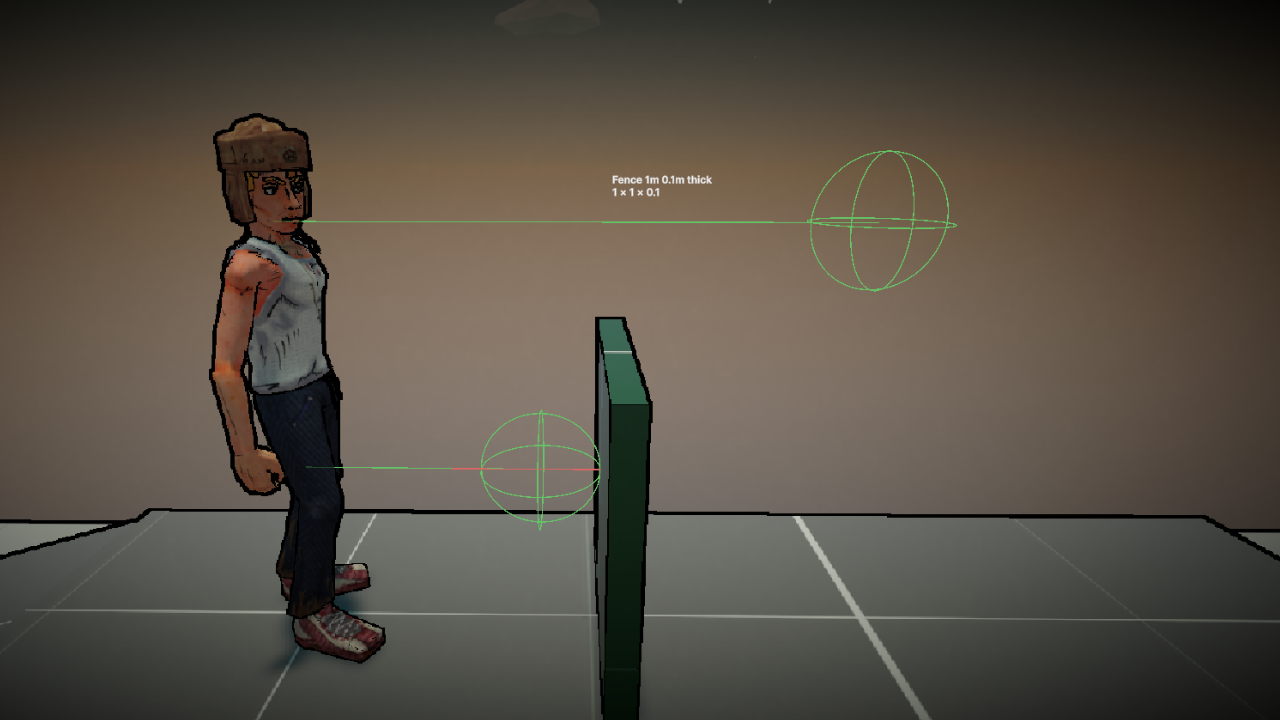
The next check is the HighProbe, it performs a sphere cast at the max vault height + a margin to check whether the obstacle is too tall.
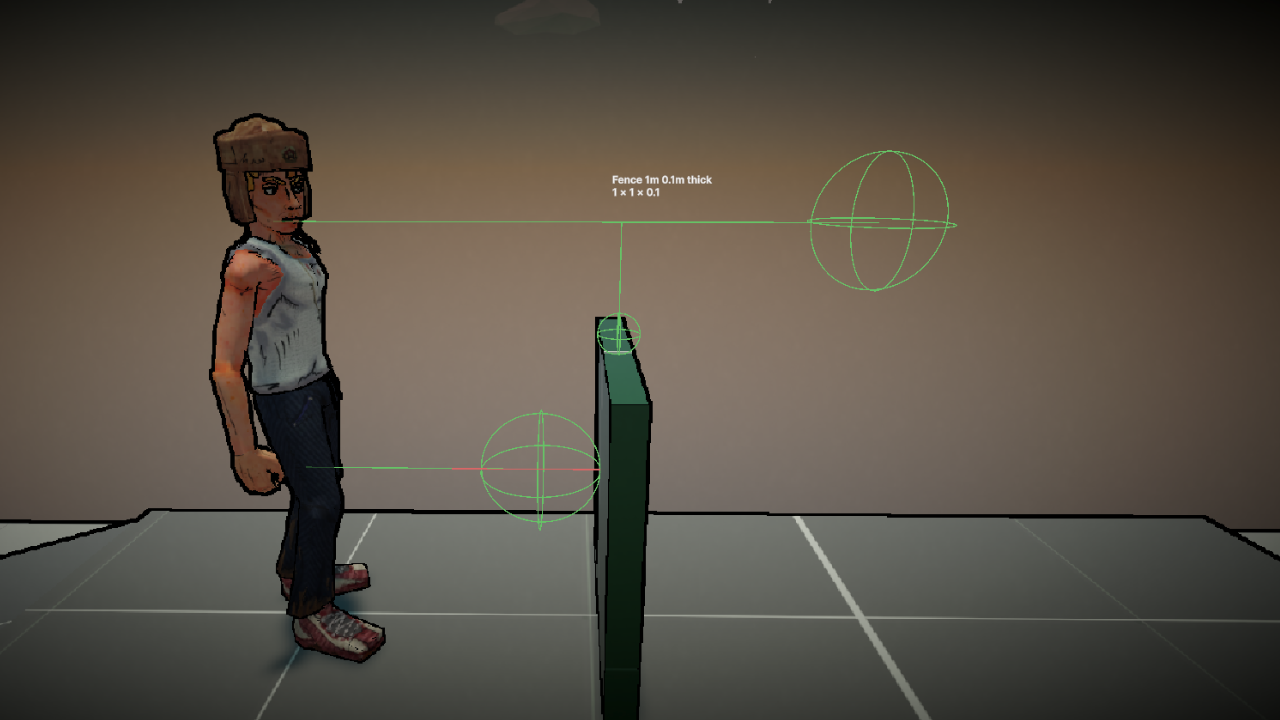
If the HighProbe passes (obstacle is not too tall), the TopProbe will be used to get the height of the obstacle and decide whether the obstacle is too small. It is also later used in accurately setting the Hand IK position on top of the fence.
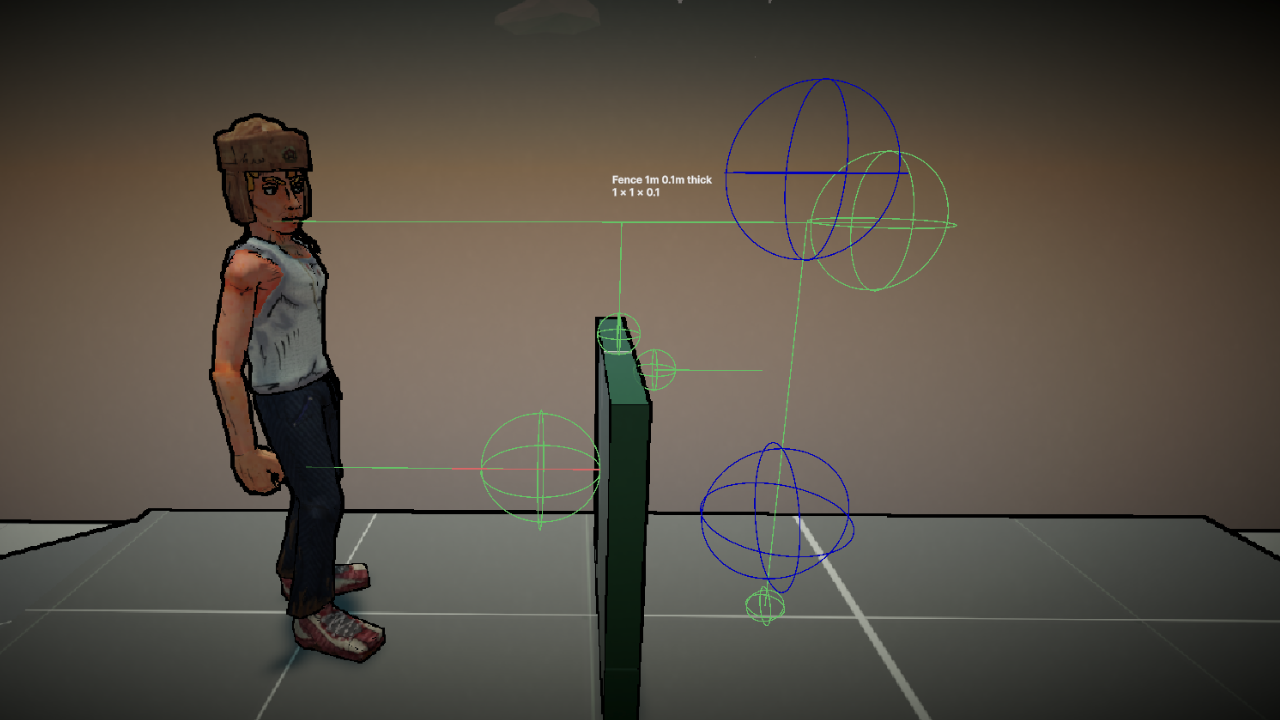
The ThicknessProbe is next, it checks whether the obstacle is too thick.
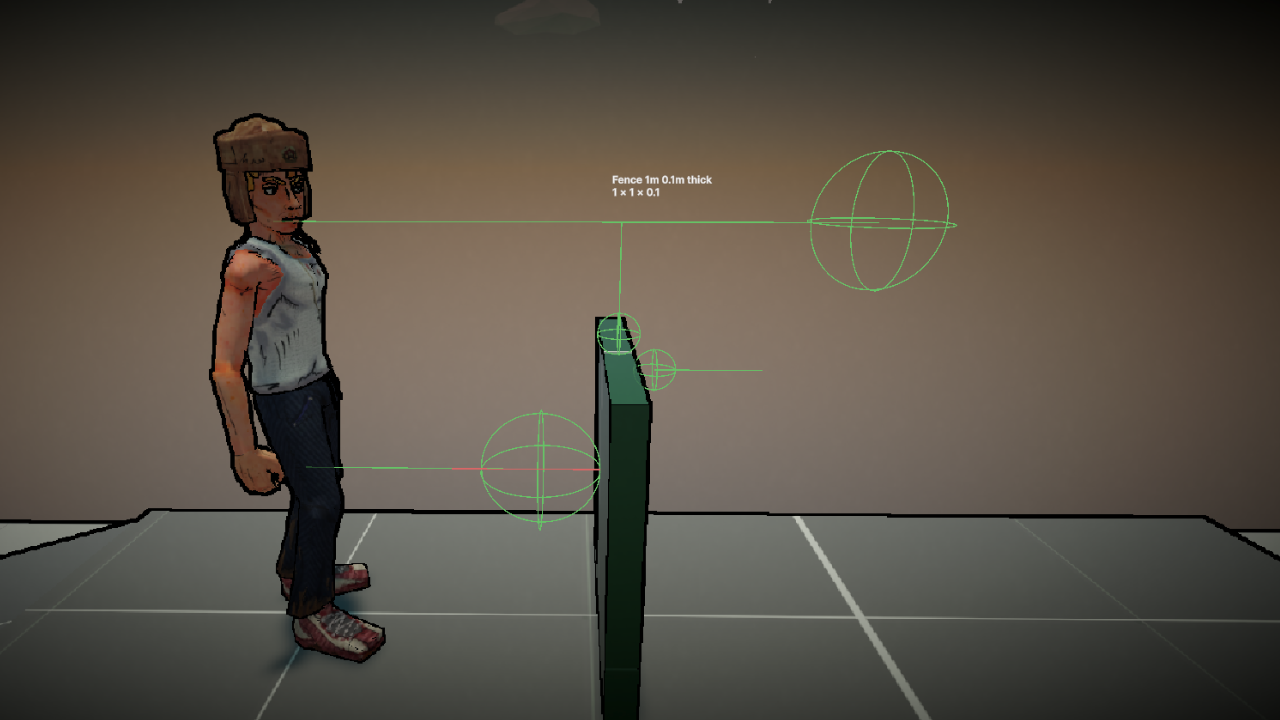
If the ThicknessProbe passes, a LandingProbe is used to check the height on the other side. The vault is made to allow an adjustable height difference (0.5 meters) which can be higher or lower than the jumping height.
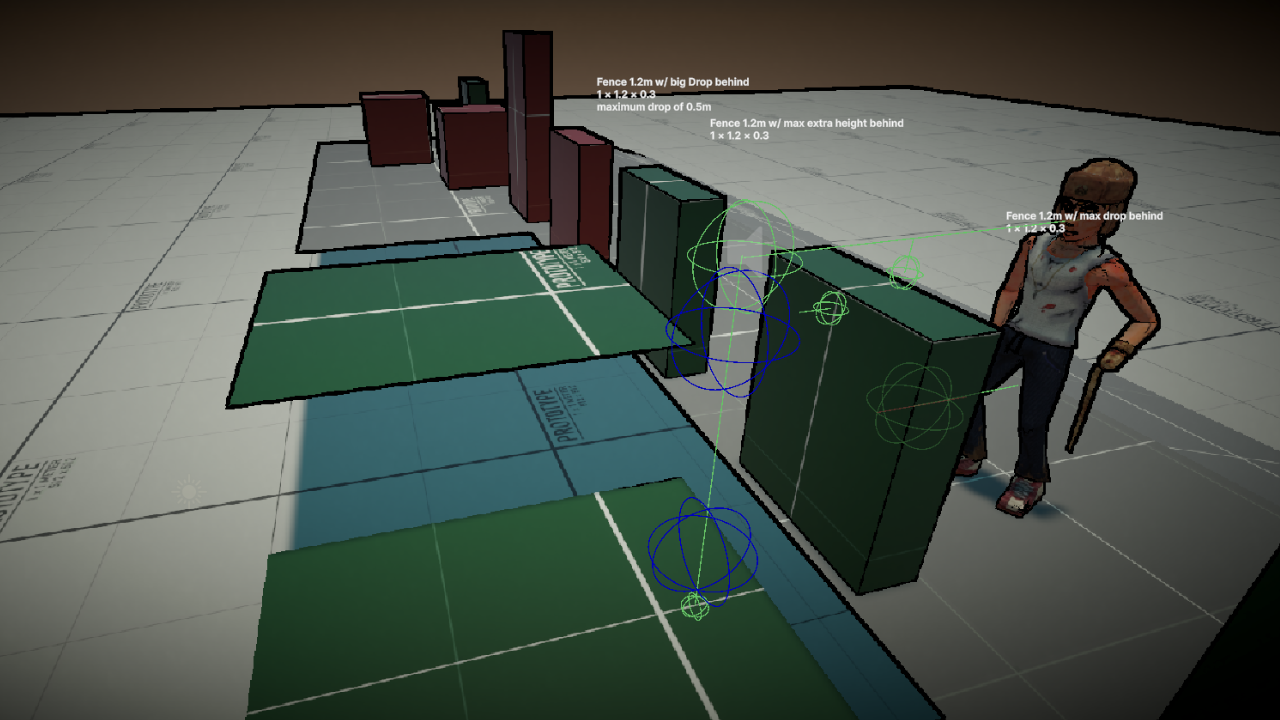
Finally, a capsule check is made at the landing point to check whether the player can fit on the other side of the obstacle.
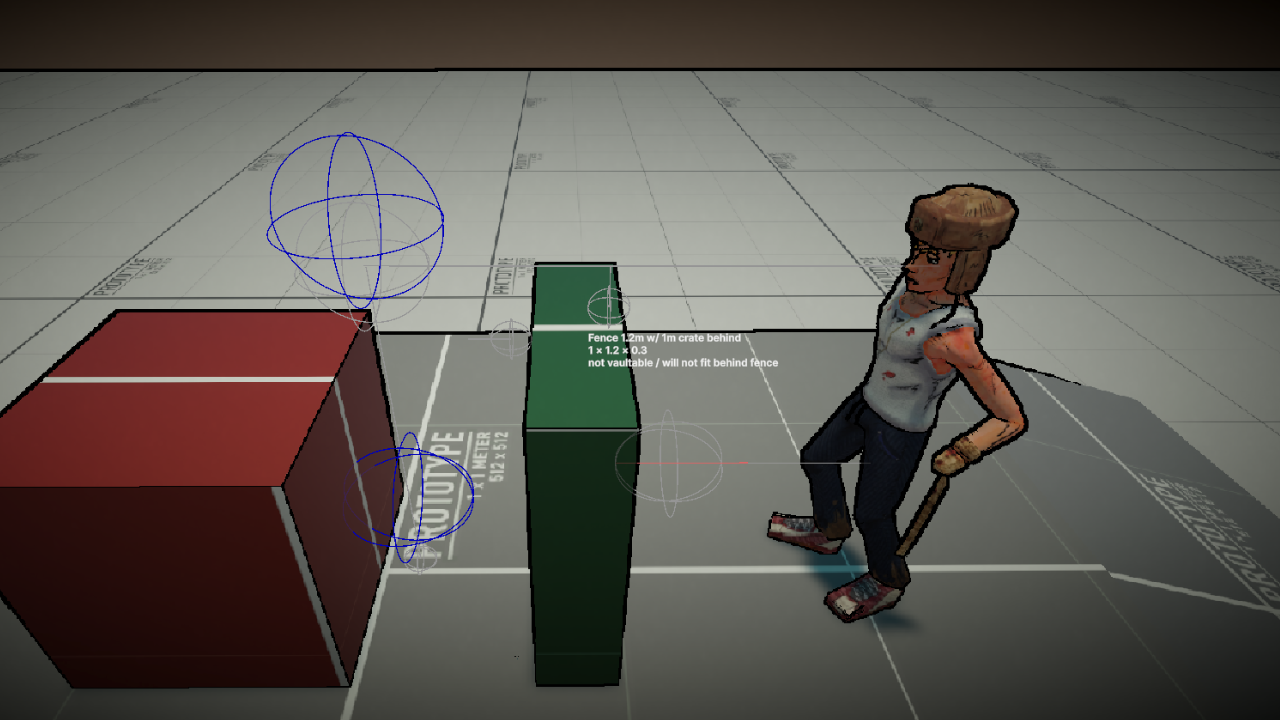
All of this comes together inside ParkourSensor::TryGetVault() to check whether the obstacle in front of the player is vaultable or not.
TryGetVault function
1
2
3
4
5
6
7
8
9
10
11
12
13
14
15
16
17
18
19
20
21
22
23
24
25
26
27
28
29
30
31
32
33
34
35
36
37
38
39
40
41
42
43
44
45
46
/// <summary>
/// Tries to detect a vaultable obstacle and returns all the necessary data.
/// </summary>
/// <param name="direction">
/// The direction to check for an obstacle. Defaults to the transforms forward if there is no
/// direction.
/// </param>
/// <param name="vault">The out VaultData variable to populate.</param>
/// <returns>True if a vaultable obstacle is detected, otherwise false.</returns>
public bool TryGetVault(Vector3 direction, out VaultData vault)
{
    ResetVaultValues(out vault);

    _savedDirection = direction;
    _savedDirection = Vector3.ProjectOnPlane(_savedDirection, _tr.up);
    _savedDirection.Normalize();
    if (_savedDirection == Vector3.zero) _savedDirection = _tr.forward;

    // run low probe:
    if (!HandleLowProbe()) return false;

    // low probe hit, run high probe:
    if (!HandleHighProbe()) return false;

    // high probe hit, run top probe:
    if (!HandleTopProbe()) return false;

    // top probe hit, run thickness probe:
    if (!HandleThicknessProbe()) return false;

    // thickness probe hit, run landing probe.
    if (!HandleLandingProbe()) return false;

    // landing spot height is fine, checking if player fits:
    if (!HandleCapsuleCheck()) return false;

    // obstacle is vaultable, save data in out VaultData:
    vault.DirectionAcross = _directionInsideObstacle;
    vault.TopPoint = _topProbe.SavedHitPoint;
    vault.ObstacleHeight = _heightOfObstacle;
    vault.ObstacleThickness = _obstacleThickness;
    vault.LandingHeight = _landingHeight;
    vault.LandingPoint = _landingProbe.SavedHitPoint;

    return true;
}
Once the player presses jump and the obstacle in front is vaultable the state machine switches to VaultState. The vault state then calculates the “line up” values to move the player in front of the fence across a 0.2s duration. The vault state also turns off the player momentum as the movement will now be done by blending the line up and the animation’s delta position.
For a better demonstration here is a video of the mechanic inside a playground scene:
For the Hand IK position, const values were used for an offset from the TopProbe hit to the right. The values were taken from difference in the animation with no IK positions changed and the top point.
As for the IK weights, It was blended using Mathf.InverseLerp and the vault clip normalized times for when the hand makes contact with the obstacle and takes it off.
OnAnimatorIK function
1
2
3
4
5
6
7
8
9
10
11
12
13
14
15
16
17
18
19
private void OnAnimatorIK(int layerIndex)
{
    var animatorStateInfo = _animator.GetCurrentAnimatorStateInfo(0);
    if (animatorStateInfo.shortNameHash != VaultHash)
    {
        _animator.SetIKPositionWeight(AvatarIKGoal.RightHand, 0f);
        return;
    }

    _animator.SetIKPosition(AvatarIKGoal.RightHand, _rightHandIKPosition);

    var startBlend = Mathf.InverseLerp(VaultClipHandContactStart,
        VaultClipHandContactStart + VaultClipHandIKBlendTime, animatorStateInfo.normalizedTime);

    var endBlend = Mathf.InverseLerp(VaultClipHandContactEnd + VaultClipHandIKBlendTime,
        VaultClipHandContactEnd, animatorStateInfo.normalizedTime);

    _animator.SetIKPositionWeight(AvatarIKGoal.RightHand, Mathf.Min(startBlend, endBlend));
}
This mechanic is mostly finished but can use some more polish like:
- an animation for a running vault (currently the animation is just sped up by 25% when running).
- The Hand IK can be positioned in the air at the edge of a wall because I am not checking the width of the obstacle.
I would also like to mention a limitation of this mechanic.
Sharp 90 degree fences are a bit of a problem as this sensor is only checking the direction of the normal it hits. Therefore, we’ve decided to build the map around this limitation by having round corners or blocking corners with vegetation.
Ragdoll Hand (Work in Progress)
One of the main mechanics of this game is the combat and mini games which will be using this Ragdoll Hand:
Dialogue System
Our game is story based, and we wanted to go beyond a simple dialogue system with flat panels.
Indie games is a big part of our flow of inspiration. Artic Eggs being one of them for their seamless and stylized dialogue system.
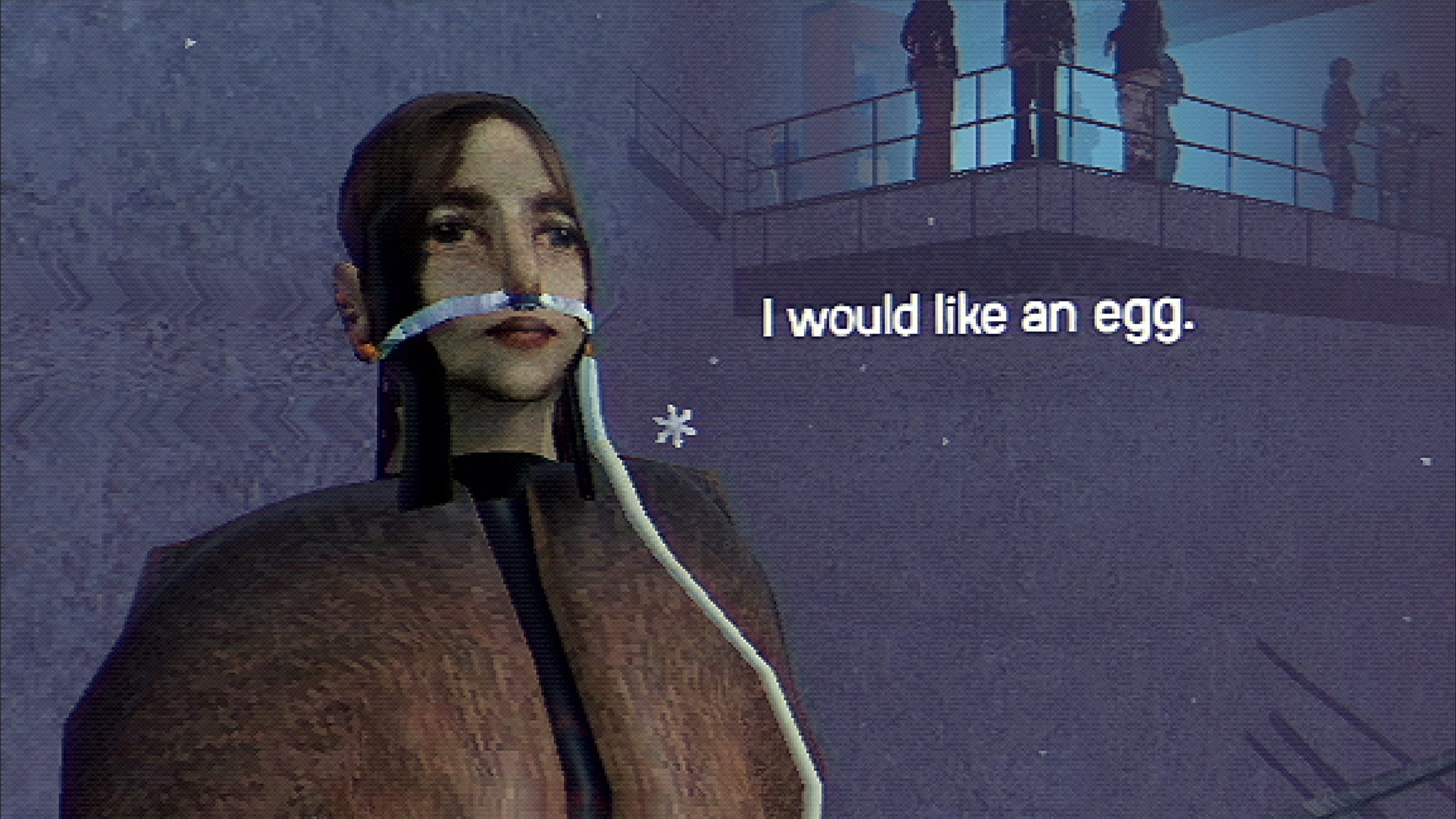
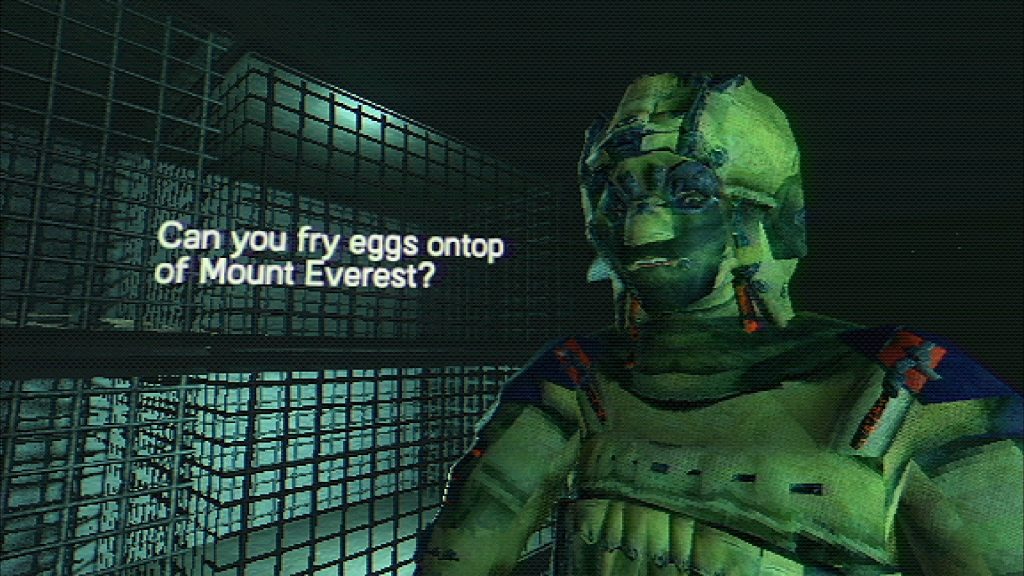
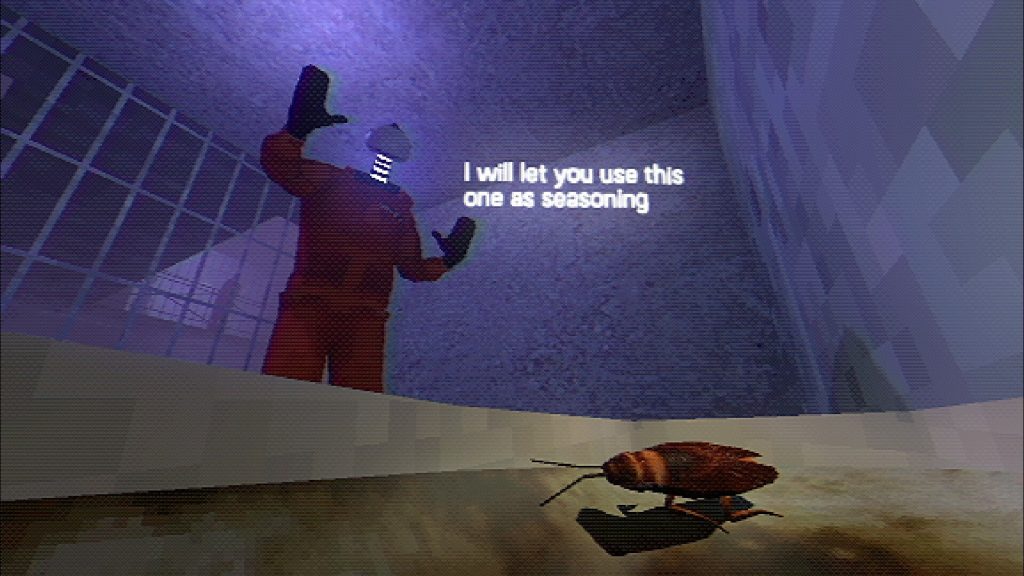
This is the current state of the dialogue system:
A decision to make the dialogue options icons instead of text was made as Max is mute and would play into the way he would respond to others.
The UI was made using Unity’s UI Toolkit and a World Panel Settings to Render the UI in world space. It contains a simple text label and a container for the icons.
Unity UI Toolkit, typewriter effect using Glyphs, making buttons at runtime.
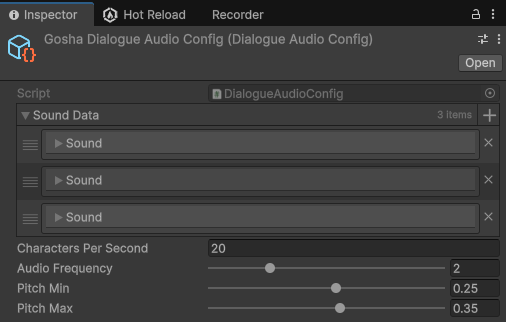
Mention Audio Pooling from my audio system. and how the sounds were made. link tutorial.